10. Etsy-Specific Features
◀ Contents · Already connected your Etsy shop?
Go to Shops → choose your Etsy shop to see the tabs below. The first 4 tabs (Details, Orders, Stats, Mappings) are the same on every marketplace. The tabs specific to Etsy: Listings, Reviews, Templates — these tabs need the Listings · Etsy app connection (see Connect your shop).
Listings
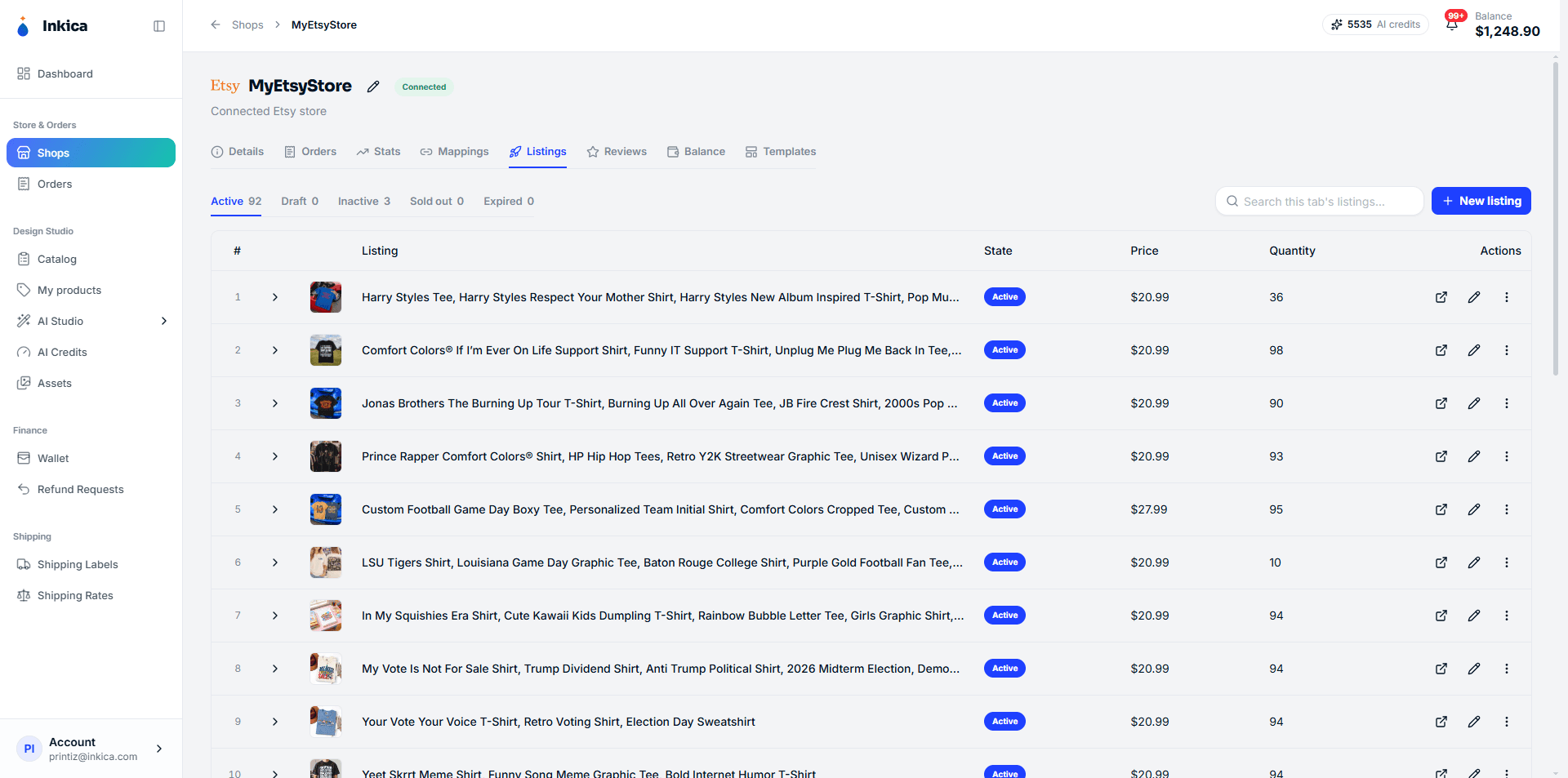
Manage your Etsy listings right inside Inkica — create new ones, edit titles/descriptions/prices/photos, publish personalization options for buyers to fill in, add videos, and other listing settings.
💡 The fastest way to list a new product on Etsy: go to My Products, choose a product you’ve created → List to marketplaces → choose Etsy. When you list from there:
- Etsy receives a single listing with a single price (the lowest price among the variants) — buyers can’t yet choose a size/color on Etsy.
- The shop must already have a shipping profile (created in Etsy Seller Hub), otherwise you’ll see No shipping profile on this shop and can’t list; and you must choose a Production partner (see the section below).
- The Publish Etsy listings live immediately switch is off by default: the listing is saved as a draft on Etsy, and you review and publish it there yourself.
Production partner — required when creating a listing
Etsy requires print-on-demand products to state a production partner (the business that makes the item). Because every product sold through Inkica is made by a print factory, when you create a new listing you must tick at least 1 production partner under How it’s made → Production partner — you can’t create the listing until you do.
- Your shop has no production partner yet: go to Etsy Shop Manager → Settings → Production partners to add one, then reload the Inkica page. Inkica can’t create a production partner for you (Etsy only allows that in Shop Manager).
- When editing an existing listing: not required. Etsy doesn’t tell Inkica which partner a listing is linked to, so leaving it blank keeps it as it was.
- Copying a listing to another Etsy shop: the production partner isn’t copied (each shop has its own list). The copy is always saved as a draft — open the draft, choose that shop’s partner, then publish.
Photo & Video
Each listing accepts up to 20 photos and 2 videos — exactly the limits the real Etsy Seller Hub applies. Drag and drop to reorder; the first photo is always the cover photo.
Personalization — customize when the customer orders
Turn it on to add a question for the customer at checkout on Etsy (for example “What name do you want printed on the shirt?”). The customer’s answer goes straight into the order and is sent to the print factory automatically — you don’t have to type it in again. The limit is up to 50 characters, or whatever you set.
Etsy supports up to 5 questions of 4 different types, but Inkica can only create/edit 1 text question — the only type the system can pass into an order. A listing that already has a different type of question (from Etsy Seller Hub) is still shown so you know about it, but must be edited directly on Etsy.
Variation images
For a listing with several colors/styles, attach a separate image to each value (for example choosing “Black” shows the black shirt’s image) — customers see the exact product image they’re about to buy instead of a generic one. This only works for 1 variation attribute at a time (usually color).
Templates
Save a listing template to reuse many times for similar products.
Reviews
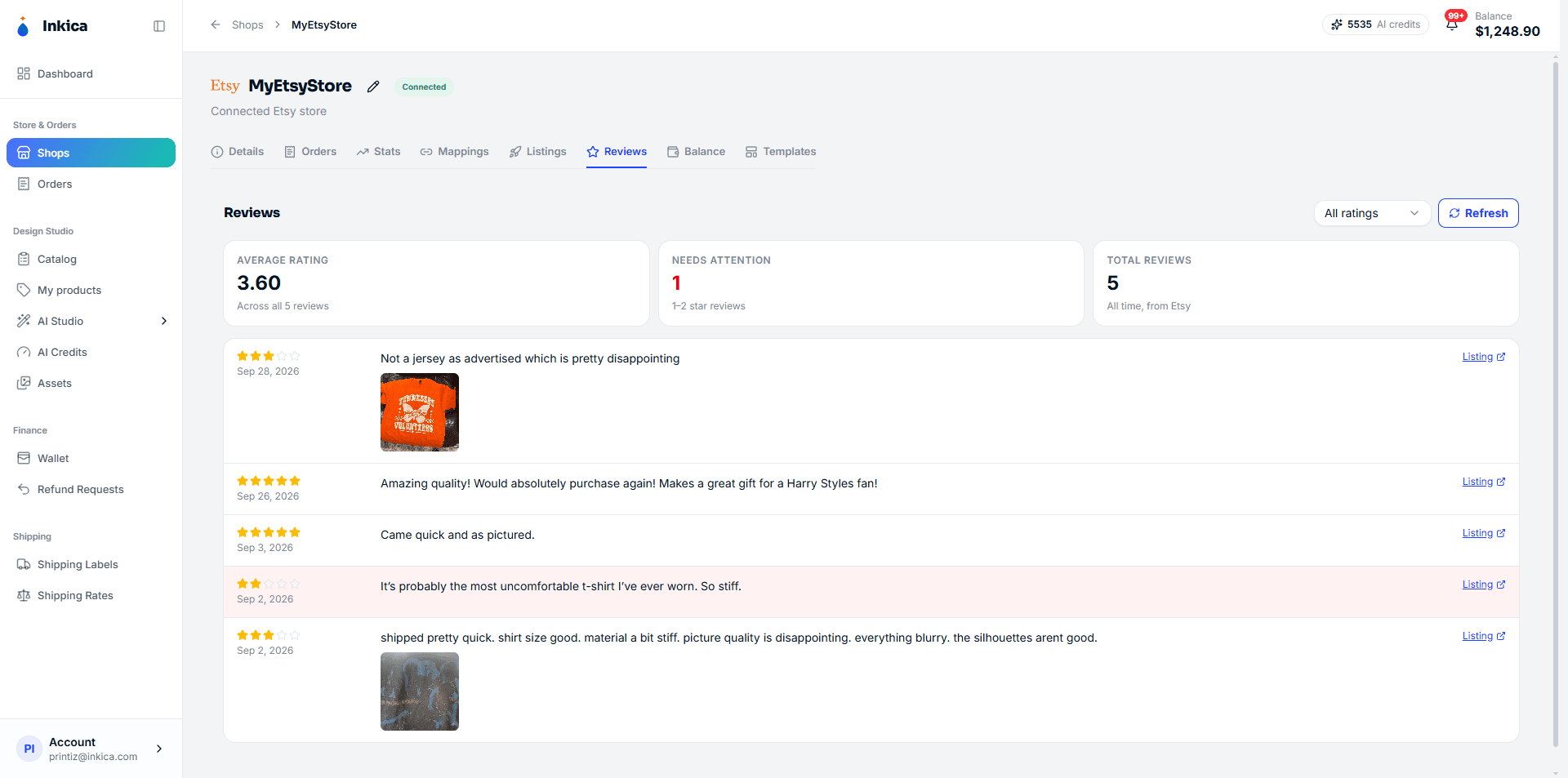
See customer reviews for your whole shop or for a specific listing.