7. Refund requests
If an order has a problem and you think you shouldn’t have to pay for that part, you can submit a refund request for the operations team to review.
When to submit a request
- The printed product is defective/damaged
- The parcel was lost or couldn’t be delivered
- The marketplace already refunded the customer (so you no longer need to pay the print factory)
- The factory sent the wrong product
- The price was calculated wrongly
- You were charged twice for the same order
- Another reason
How to submit a request
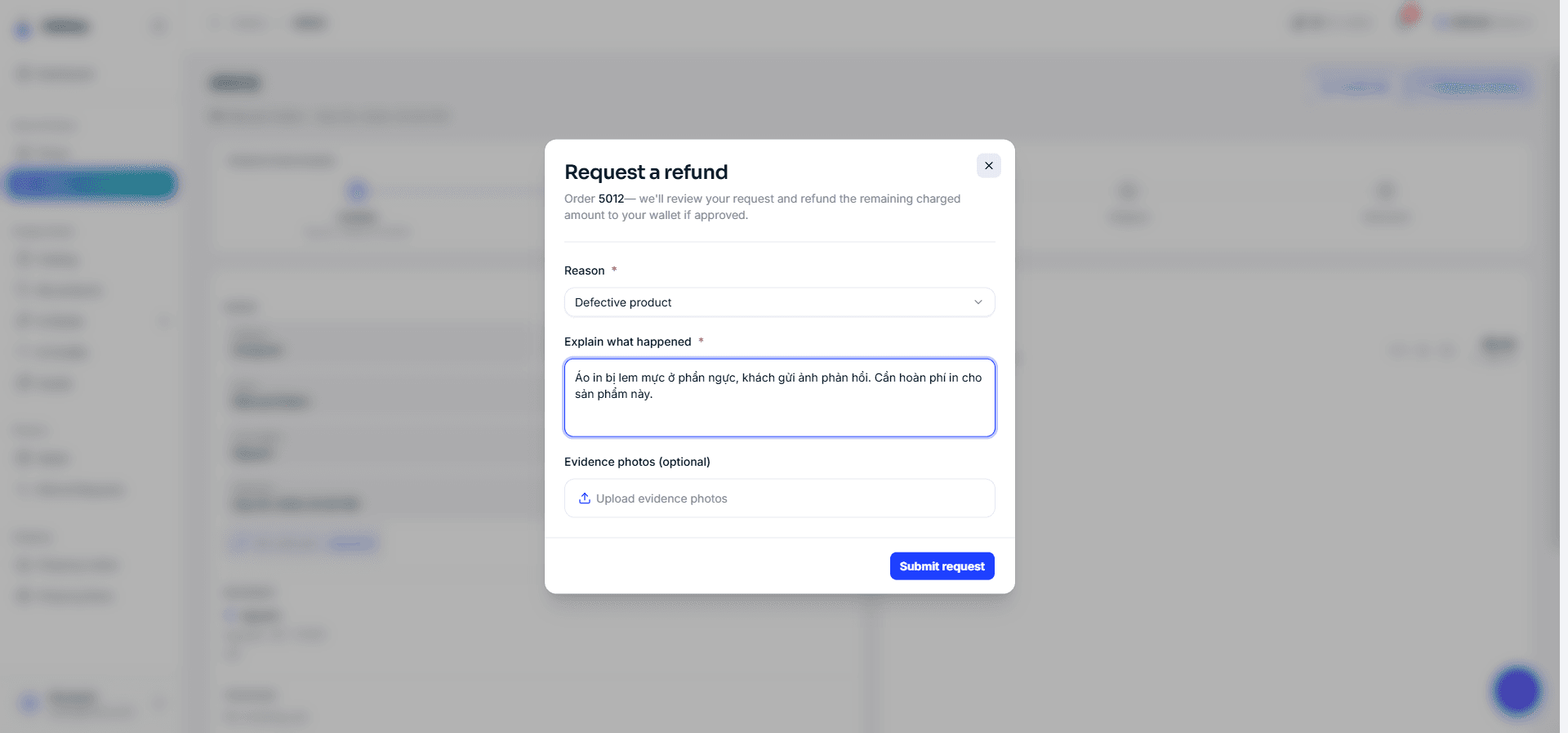
A refund request is always submitted from that order’s details page (the Refund Requests page is for tracking only — it has no button to create a new one):
- Open the order you want refunded (go to Orders → click the order).
- Click Request refund.
- Choose a Reason (from the list above).
- Write in the Explain what happened box — describe the problem clearly.
- Attach photo evidence if you have it (up to 10 images, each ≤ 50MB — for example a photo of the defective product).
- Click Submit request.
The refund amount is the remaining amount that was charged for that order — you don’t enter an amount. Each order can have only 1 pending request at a time, and the Request refund button doesn’t appear for orders that haven’t been charged (drafts / not yet sent).
Track your requests
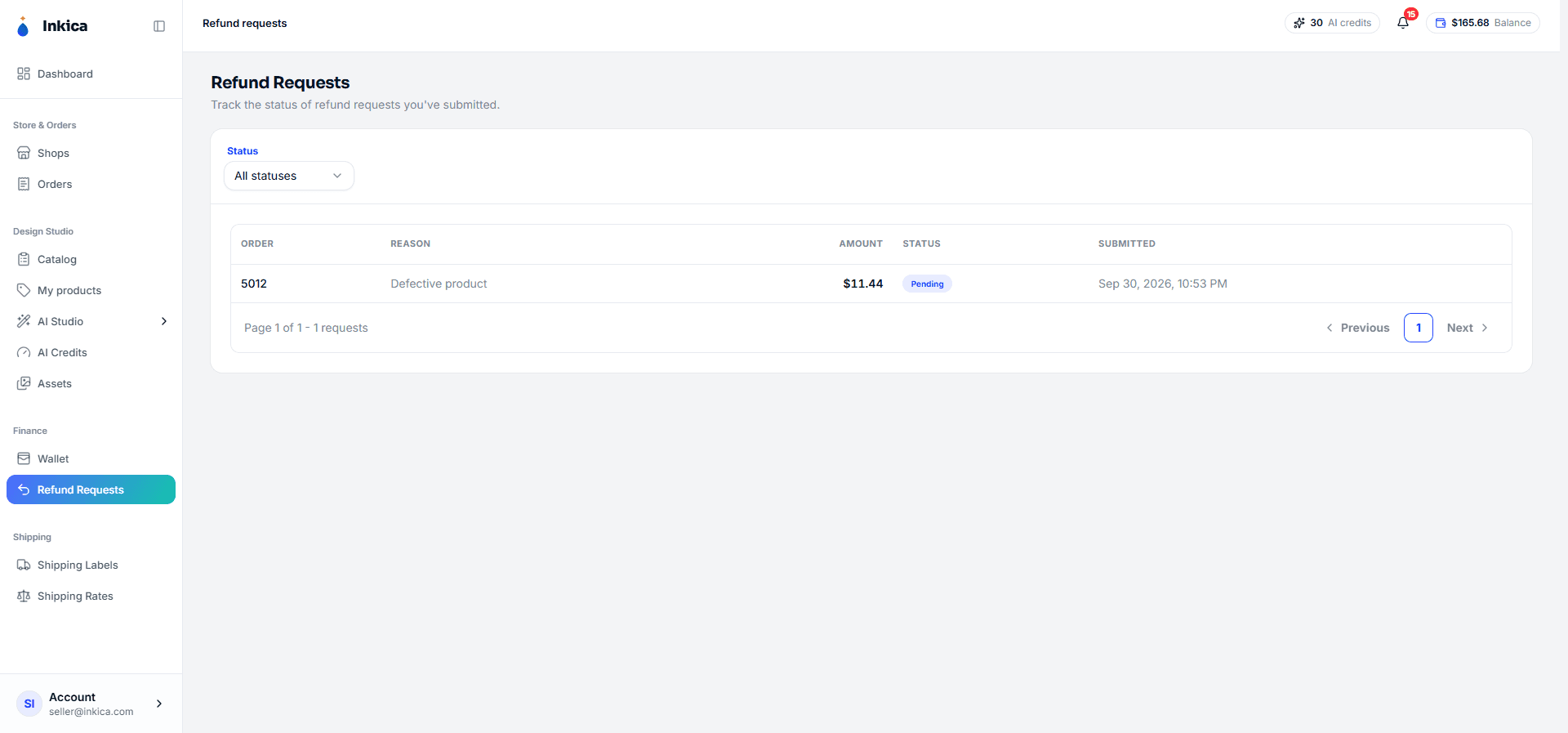
Go to Refund Requests to see the requests you’ve submitted (columns for order, reason, amount, status, and date submitted; with a filter by Status). Click a request to see its details:
| Status | Meaning |
|---|---|
| Pending | The operations team is reviewing it |
| Approved | The money has been refunded to your wallet |
| Rejected | The request wasn’t accepted — the request details show the Reason for rejection |
◀ Buy your own shipping labels · Contents · Next: Account & security ▶