21. What’s New
New features and changes on Inkica, newest first. Follow the link in each item for the full guide.
November 2026
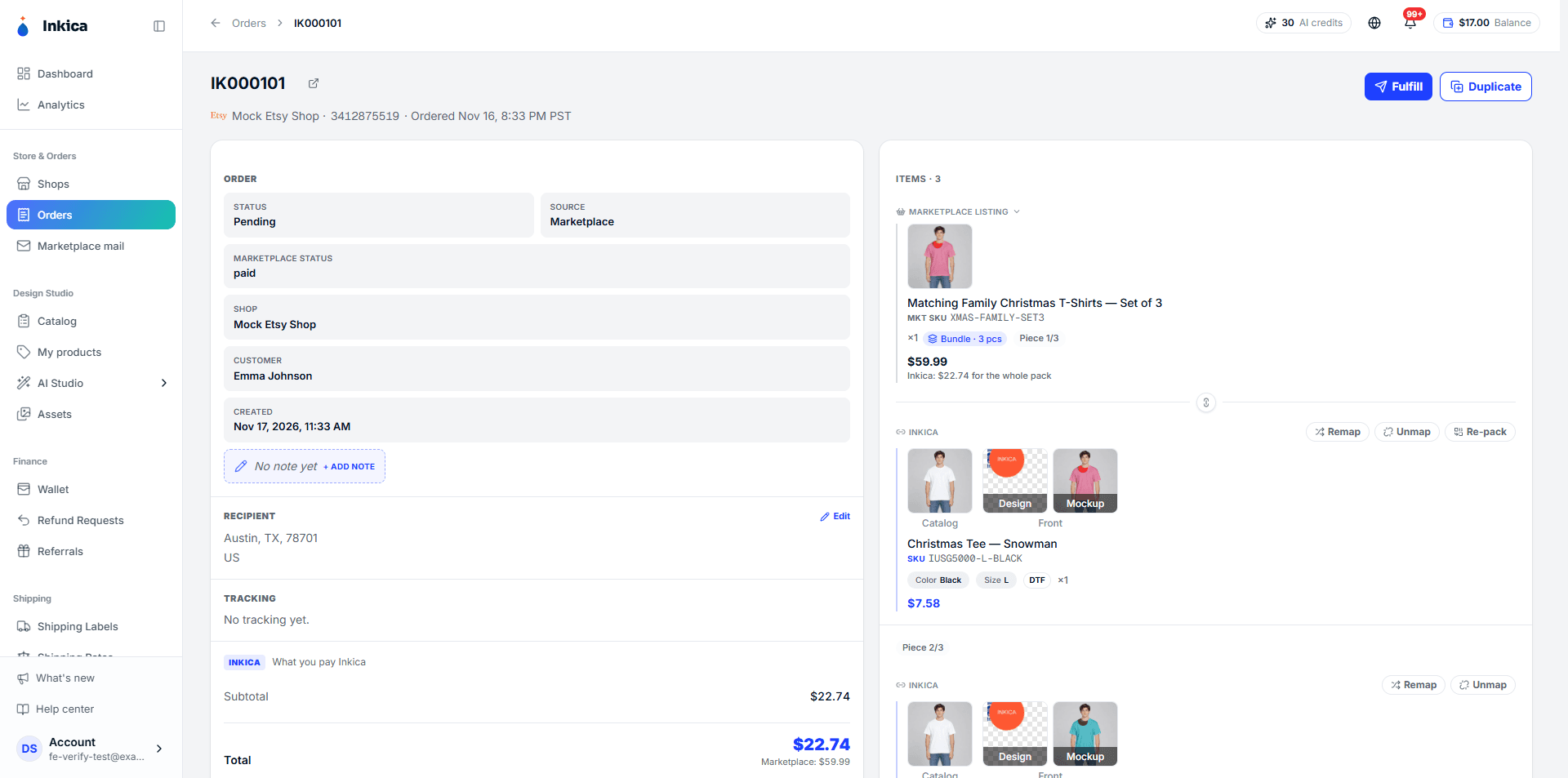
- Nov 17 — Sell sets (packs, bundles). For listings with several pieces in one item: set a Pack size when the whole set is one design, or click Unpack to split the set and map each piece to its own product — later orders of the SKU are split and mapped the same way. → Handling orders
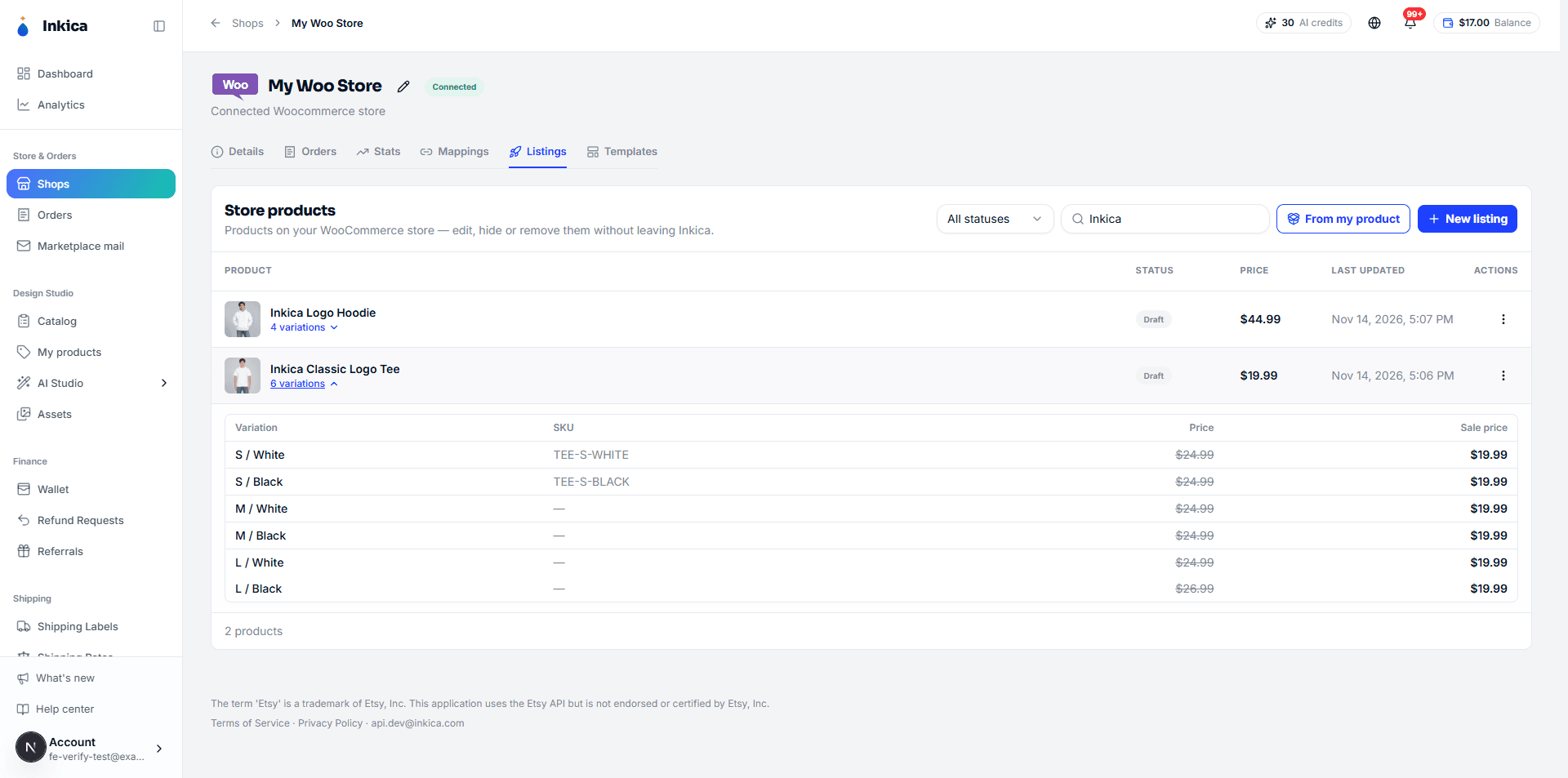
- Nov 14 — Manage WooCommerce listings in Inkica. The Listings tab of a WooCommerce shop gets its own create/edit form like eBay/Etsy/TikTok Shop (formatted description, photos, categories, tags, variations with sale price and SKU), shows variations right in the list, and a Templates tab lets you start listings from saved presets. → WooCommerce
- Nov 13 — Announcement windows & news emails. Important announcements from Inkica can show as a window (with a picture) that opens once when you come in. Inkica also sends news emails about new features and promotions — turn them on or off in Settings → Email preferences. → Notifications · Account & security
- Nov 13 — Connect WooCommerce. Connect your WooCommerce store in one sign-in: paid orders come into Inkica, tracking goes back to the store, and you can list products to it like the other marketplaces. → WooCommerce
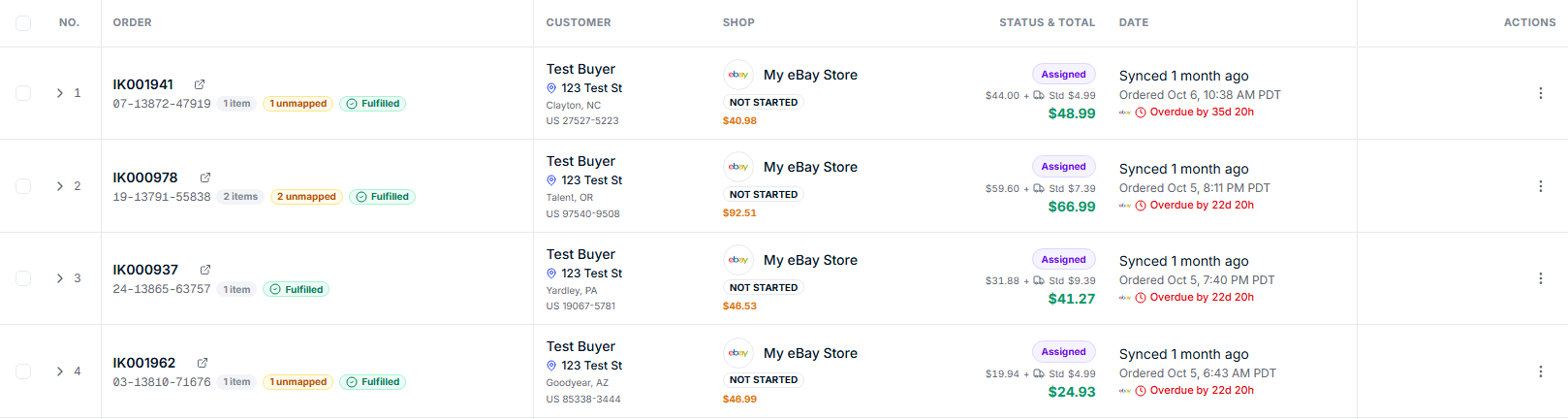
- Nov 13 — Inkica order IDs. Every order has an ID like
IK006481, shown on the first line of the order list and order details; the marketplace order ID sits on a smaller line below. Search finds orders by this ID. → Process orders
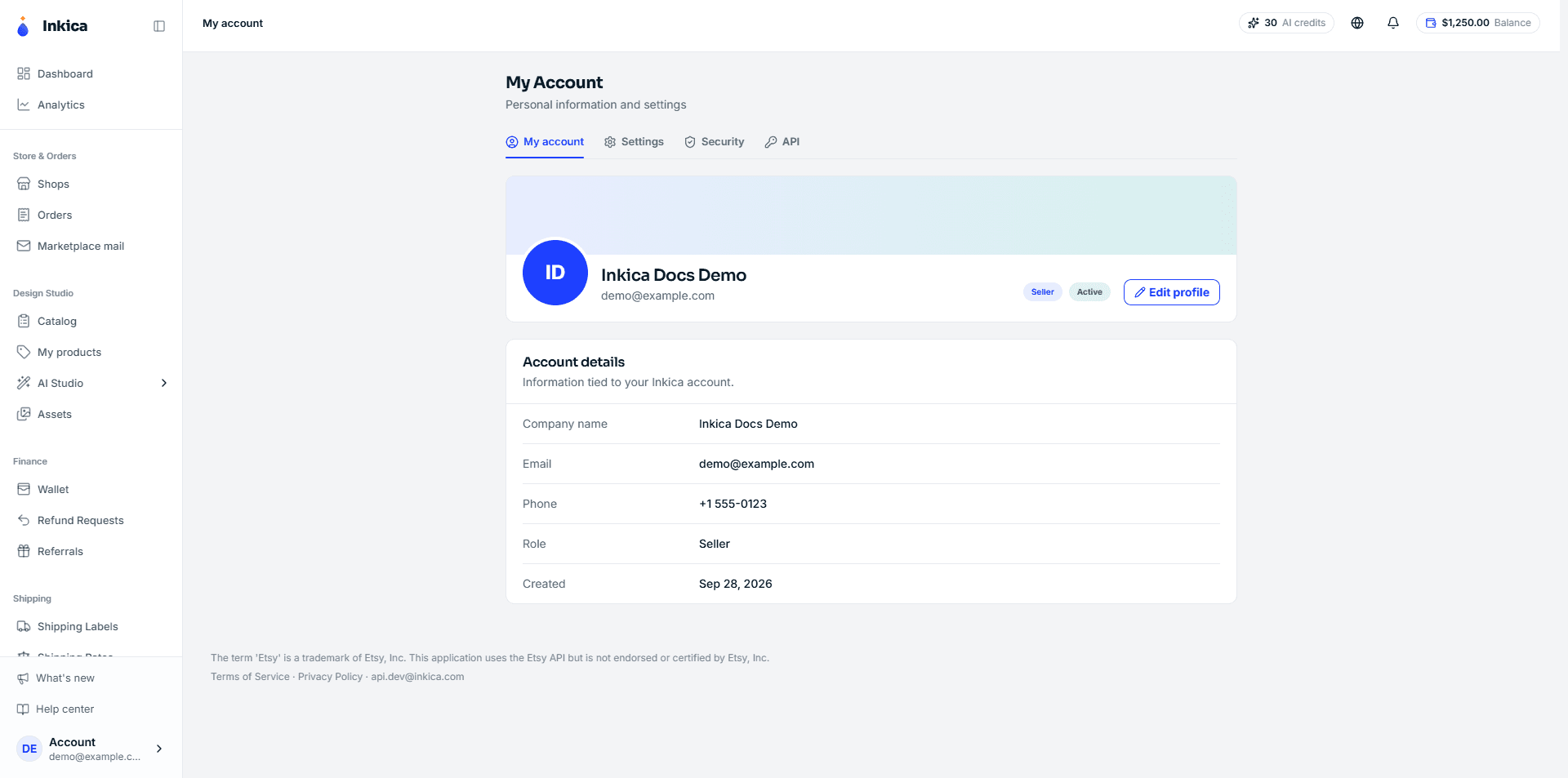
- Nov 10 — New account pages. My account, Settings, Security and API now share one tab bar; My account also shows your phone number and account status, and Settings is cleaner and easier to read. → Account & security
- Nov 10 — Invoices for online top-ups. Download a PDF invoice for every card or PayPal top-up, and view the receipt of card top-ups, right in the transaction history. → Wallet & top-up
- Nov 9 — Top up with PayPal. Choose Card or PayPal, then pick card or PayPal on the payment page. → Wallet & top-up
- Nov 7 — System announcements from Inkica. Notices about maintenance, new features or policy changes show in a bar under the top bar and in the System tab of the notification bell. → Notifications
- Nov 4 — Easier Excel order export. Defaults to the last 30 days, shows how many orders will be exported, can export only the orders you selected, one row per order. → Process orders
- Nov 3 — Marketplace mail. Forward marketplace notification emails from your shops’ Gmail to Inkica and read them in one place. → Marketplace mail
- Nov 3 — Special print area. Tick this box when your design sits outside the standard print area (low near the hem, onto the side seams); an extra fee applies. → Create products to sell
- Nov 3 — Buy your own shipping labels. The address is checked when you get a quote; if the carrier’s real price is higher than the quote, the purchase is cancelled and you are not charged. → Buy your own shipping labels
- Nov 2 — Order dates in US time. Order dates follow US Pacific time, so daily order counts match eBay Seller Hub. → Process orders
October 2026
- Oct 31 — Image tags. Tag images when you upload them or in bulk, then filter your images by tag. → Image library
- Oct 30 — Referral program. Invite other sellers with your own link and earn 5% of their orders for 12 months, paid straight into your wallet. → Referral program
- Oct 30 — New product page. Upload your own mockups in the Product Editor and delete several products at once in My Products. → Create products to sell
- Oct 29 — Buyer’s eBay shipping service. The eBay order list and order details show the shipping service the buyer chose, with delivery days. → Process orders
- Oct 28 — New Dashboard & Analytics. What needs your attention now, plus sales, costs and profit, on one page. → Dashboard & Analytics
- Oct 27 — Wallet. A tab to track your top-up requests, with the reason shown when a request is rejected. → Wallet & top-up
- Oct 27 — Products made outside the US. The Catalog flags the country of manufacture and shows the longer delivery time for products with no US factory. → Create products to sell
- Oct 26 — Catalog by product type. Filter by garment type, gender & age and print technique, plus a new-arrivals tab. → Create products to sell
- Oct 24 — 3D Studio for all-over-print (AOP) products. Design on a 3D model and export print files for every size straight into the product. → Create products to sell
- Oct 22 — Docs in 5 languages. Tiếng Việt, English, 中文, Türkçe, Español.
- Oct 22 — Send your own shipping label through the API. Orders created through the Public API can include your own shipping label. → API integration
- Oct 21 — List to marketplaces page. List one product on several eBay/Etsy/TikTok Shop shops from a dedicated page. → Create products to sell
- Oct 20 — Variants and retail price. Products have variants (color, size) and their own retail price; a shop’s Mappings tab is grouped by listing. → Create products to sell
- Oct 17 — Public API. Your own website or software can create orders, send them to production, get tracking and receive webhooks. → API integration
Last updated on